




When customer service opens the workspace in the morning, three WhatsApp accounts simultaneously show an English inquiry, a Spanish order follow-up, and an Arabic after-sales request. After translating the first message, they reply from the wrong account; during shift handover, a colleague translates the same conversation again; the language preferences and commitments the customer mentioned last time are scattered across personal chat records. The root cause of these problems is not a lack of translation, but that accounts, translation, and follow-up are not connected.
What Teams Face When Multi-Account, Translation, and Follow-up Are Disconnected
- Replying from the Wrong Account and in the Wrong Language:Translation tools provide a translated text, but the reply window corresponds to another account or another customer, and the message is sent before realizing the recipient is wrong.
- Duplicate Translation During Handover:The conversation record contains only the original text and a one-time translation; after the shift change, colleagues need to understand the context again, and customer waiting time is prolonged.
- Scattered Customer Information:Language preferences, historical orders, and the follow-up time last promised have not been recorded in the customer profile, so every conversation feels like a first contact.
- Unclear account permissions:Multiple customer service agents share accounts or switch accounts at will, and there is no record of who handled which customer, making issues difficult to trace.
These phenomena point to the same conclusion: a standalone translation tool can address 'understanding,' but cannot address 'who is on which account, speaking to which customer, in what language, and how far the follow-up has progressed.' Putting translation back into the full chain of accounts and conversations is what a multilingual customer communication management solution needs to address.
The three foundational modules of a collaborative solution: account aggregation, message translation, and customer management
A practical collaborative solution usually includes three modules. Each has different responsibilities but must share the same customer context. Account aggregation collects conversations from multiple WhatsApp accounts and other social channels into one workspace, solving the question of 'where to reply'; message translation maps original text to translated text within the conversation, solving the question of 'what language to reply in'; customer management writes language preferences, communication records, and to-dos back to the customer profile, solving the question of 'how far the follow-up has progressed.'
SKY SCRM is an aggregated translation and customer management system covering multi-account management on social platforms, multilingual communication, AI translation, and customer management. For teams that need to manage multiple WhatsApp accounts simultaneously and handle multilingual customer messages, placing these three modules in the same tool can reduce the overhead caused by account switching, repeated translation, and loss of customer information. Specific platform compatibility and functional scope are subject to the current descriptions in the client and on the official website.
Account layer: How multiple accounts are managed in an orderly manner within one workspace
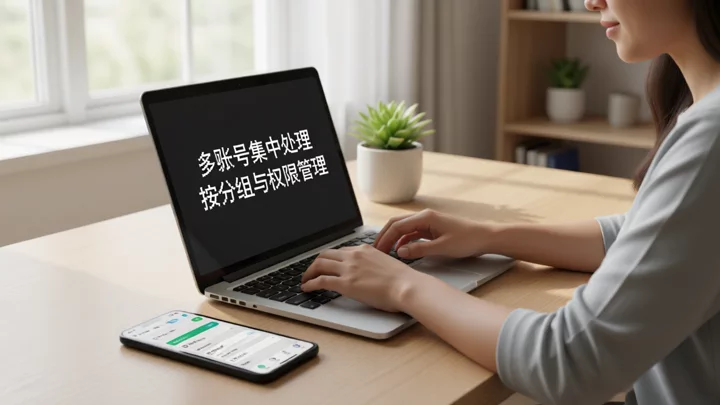
The account layer is the entry point of the collaborative solution. The onboarding sequence and grouping rules determine whether subsequent translation and follow-up can run stably.
- Check the platform and account list:First confirm the number of WhatsApp accounts to be connected, the corresponding business lines, and the responsible customer service staff. SKY SCRM supports multi-account aggregation across social channels such as WhatsApp, Telegram, LINE, and Facebook Messenger; specific compatibility is subject to the client's current documentation.
- Group by business line or region:Group accounts by pre-sales, after-sales, or language region to avoid mixing all conversations into one list. Grouping rules should correspond with customer service shifts so that each agent clearly knows which accounts they are responsible for.
- Configure account permissions:Clearly define which agents can view and reply to which accounts, reducing missing records caused by multiple people sharing the same account. The granularity of account permissions is subject to the actual client settings.
- Confirm the login environment:SKY SCRM provides custom IP login configuration, and teams can set it according to internal network management requirements. Do not interpret login configuration as a means to evade platform enforcement; for platform account status, please refer to official notifications and policies.
- After integration, perform a conversation placement check:Send a test message to each account one by one to confirm that messages enter the correct workspace group and that agents can see and reply under the corresponding account.
Translation layer: How message translation embeds into conversations without interrupting the communication rhythm
The goal of the translation layer is not to translate every message, but to complete language conversion within the natural rhythm of agents reading and replying. In-conversation translation is usually triggered per message: an agent selects or opens a foreign-language message, the system provides a translation, the agent verifies it and writes a reply in their own language, and the system then converts it into the customer's language before sending. There are two verification points in this sequence that cannot be skipped.
The first is translation verification. Machine translation is prone to errors in order numbers, amounts, model numbers, and promised timelines, so agents should confirm that key information matches the original before sending. The second is language matching. If a customer communicates in Spanish, the reply should be in Spanish; do not send an English reply simply because the agent typed it out of habit. For voice and image messages, translation capabilities are limited by the tool's supported scope, and human assistance may still be needed for understanding when necessary.
Embedding translation into the conversation instead of opening a separate translation page has the advantage that the original text, the translation, and the reply stay in the same conversation record. When handing off, colleagues see the complete context and do not need to translate everything again. For how translation connects with follow-up, refer toHow should translation needs in WhatsApp customer communication be handledfor practical approaches.
Follow-up layer: how customer information accumulates with conversations and supports handoff
The follow-up layer determines whether multilingual communication can translate into ongoing management. After each conversation, at least three types of information are worth writing back to the customer profile: the language the customer uses, the key conclusions of this communication, and the time or action for the next follow-up. If the language preference is clearly recorded, the next agent taking over will not reply in the wrong language; if the key conclusions are clearly recorded, the handoff does not require rereading the entire conversation; if the follow-up time is clearly recorded, the customer will not be missed.

SKY SCRM's customer management capabilities are used to accumulate customer leads and manage team customer service. In actual use, customer language preferences, communication records, and to-do items can be associated with the corresponding conversations, making follow-up verifiable. The fields for customer information and the write-back method are subject to the client's current features, and teams should agree before launch on which fields are required and who is responsible for filling them in.
The coordination order of the three modules and key acceptance points for launch
The recommended configuration order is: accounts first, then translation, then follow-up. If accounts are not in place, translation has no stable conversation container; if translation is not embedded in conversations, follow-up lacks context; if follow-up fields are not agreed upon, the earlier work cannot accumulate. Below are acceptance checkpoints that can be executed within two weeks of launch.
- Days 1 to 2, account access acceptance:All target accounts have been placed in the correct groups, agents can view and reply within their permission scope, and no test messages are missed.
- Days 3–5: Translation workflow acceptance:Use real conversation samples to test translation triggering, translation review, and language matching; record error-prone scenarios (such as order numbers, amounts, and model numbers) and create an internal checklist.
- Days 6–9: Customer information write-back acceptance:Spot-check whether conversations are linked to the correct customer profiles, whether language preferences, key conclusions, and follow-up times are filled in, and whether colleagues can take over during handover without relying on verbal explanations.
- Days 10–14: Collaboration stress-test acceptance:During morning and evening peak hours, observe whether customer service agents can still respond correctly across the three dimensions of account, language, and customer when multiple accounts receive messages at the same time, and record any group or permission settings that need adjustment.
If acceptance does not pass, first return to account grouping and permission settings for checks rather than suspecting translation quality. Most “replying in the wrong language” issues stem from conversations not being routed correctly and language preferences not being recorded, rather than from translation itself. To learn about selection or implementation details, refer toHow to Choose an SCRM System for Multilingual WhatsApp Customer Managementfor the evaluation framework in it, or via the official websitecontact pageto get the current contact options.
Frequently asked questions
Can multiple WhatsApp accounts be managed in the same workspace?
Yes. SKY SCRM supports multi-account aggregation across social platforms, bringing conversations from multiple WhatsApp accounts into the same workspace and managing them by group and permissions. The specific supported platforms and account limits are subject to the current descriptions in the client and on the official website.
After translation, replies are still sent in the wrong language. What are the common reasons?
The common cause is not a translation error, but that the customer's language preference is not recorded, or that the agent replies under the wrong account. It is recommended to specify the language preference in the customer profile and to verify the account and customer associated with the reply window before sending.
What customer information should be recorded to be sufficient?
At a minimum, record the customer's language, the key conclusions of the current communication, and the next follow-up time. Field settings and write-back methods are subject to the actual client features; the team should agree on required fields and owners before launch.
How long does it take to launch the collaboration solution?
Account onboarding and basic translation configuration can usually be completed within a few days, while agreeing on customer information fields and building team habits take longer. It is recommended to carry out phased acceptance over about two weeks, first ensuring that accounts are correctly assigned and the translation process is stable, and then gradually improving the follow-up fields.