





One customer service agent is watching five WhatsApp accounts at the same time. Customers send messages in English, Spanish, and Arabic in turn. Every time the agent switches accounts, they have to switch windows, and every time they read a message, they have to copy it into a translation tool and paste it back. What really slows down response is not typing speed, but the fact that accounts and languages are split into two separate processes. SKY SCRM is positioned precisely to bring these two things together: social platform multi-account aggregation management, multilingual customer communication, AI translation, and customer lead management.
Why WhatsApp customer service needs to put translation and multi-account management together
The loss caused by scattered accounts is hidden. When customer service agents switch between multiple clients, they are prone to missing messages, replying twice, and finding it hard to determine customer ownership. Language barriers add a second layer of loss: foreign-language messages need to be understood before replying, and replies need to be converted into the other party's language. If any step in between is completed with an external tool, it interrupts the pace of handling conversations.
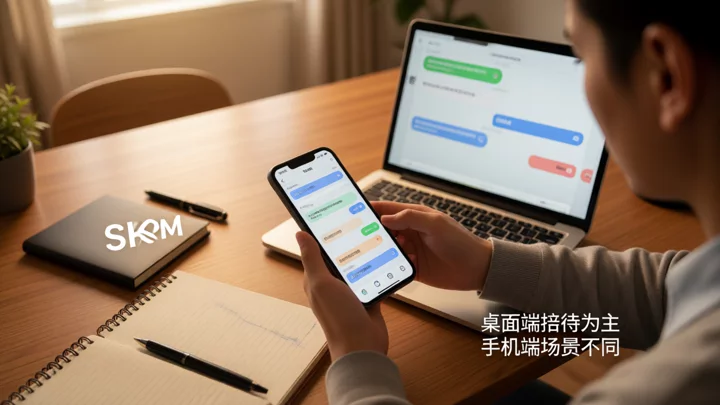
By embedding translation into the message stream, what customer service sees is directly readable translated text, and there is no need to leave the current conversation when replying. SKY SCRM places translation capabilities within the aggregated chat interface instead of making customer service move text back and forth between chat tools and translation tools. This is where it differs from standalone translation tools.
How SKY SCRM's multi-account aggregation management works
SKY SCRM supports aggregating multiple accounts from social channels such as WhatsApp, Telegram, LINE, and Facebook Messenger in the same tool, centralizing customer conversations from different accounts into a unified interface for handling, and providing message reminders and custom IP login. For teams, this means customer service agents do not need to open a separate client for each account.
The practical value of multi-account aggregation lies in conversation assignment. When the same group of customers comes in from different channels, the team can see messages awaiting reply in one view and handle them according to customer service division of labor, rather than relying on people to remember "who manages this account." The specific supported platforms and account compatibility are subject to the current descriptions in the client and on the official website; SKY SCRM does not promise unlimited account creation, never going offline, or circumventing platform enforcement.
How WhatsApp message auto-translation is implemented in SKY SCRM
SKY SCRM provides two-way real-time translation for chat messages, and also supports image translation and voice translation. Foreign-language text sent by customers, text in images, or voice content can all be converted into readable translations within the conversation. When customer service replies, the content can also be translated into the customer's language before sending, enabling two-way communication.
Regarding translation channels, the official website mentions channels such as Google, DeepL, and ChatGPT, and provides a translation channel comparison. Different channels differ in language coverage, tone and style, and response performance, so teams can choose based on their main customer languages. It should be noted that available channels, character quotas, and feature permissions are subject to the actual plan and version, and the translation benefits of the port version do not apply to the free version or the character version; machine translation accuracy may fluctuate across different languages and different channels, and complete accuracy for all languages cannot be promised.
If a team needs to understand the translation pipeline itself—from authentication and text transmission to parsing the returned results—they can refer to the on-site articleHow to integrate a real-time translation API: key steps from authentication and text transmission to returned resultswhich breaks down the key aspects of choosing the interface form, error retries, and joint debugging and acceptance.

A typical workflow after combining translation with customer management
Once translation, accounts, and customer profiles are placed on the same chain, a complete service interaction roughly operates as follows:
- A customer sends a foreign-language message from an aggregated channel. The message enters SKY SCRM's unified conversation view, and customer service sees the notification under the corresponding account.
- The chat window directly displays the translation, so customer service does not need to switch to an external translation tool; if the message is an image or voice, image translation or voice translation can likewise be used.
- Customer service replies within the conversation, and the reply content is translated according to the customer's language before being sent, keeping both directions readable.
- During the reception process, customer profiles and lead information can be retained in the customer management module, and together with traffic counting, routing links, and ticket data, you can view promotion sources and reception assignments.
- On the team side, common inquiries can be handled with welcome messages, keyword replies, and quick replies, reducing repetitive typing.
In this workflow, translation is no longer a separate step, but is embedded between "viewing messages—replying to messages—recording customers." The latency characteristics of real-time translation affect the communication experience. For judgments about latency thresholds and scenario boundaries, refer toThe difference between real-time translation and simultaneous interpretation: not just speed, but also latency thresholds and scenario boundaries。
Official download and version selection: avoid downloading non-official apps
The SKY SCRM official download page provides Windows, Mac Intel, and Mac Apple chip versions. Before downloading, first confirm your operating system and Mac chip type, then choose the corresponding client to avoid installing the wrong version and being unable to start it. The official download page also links to help articles such as Windows SmartScreen, Mac unable to verify developer, and Mac verification keys. If you encounter system interception prompts, you can consult these explanations before proceeding.
It should be made clear that the official channels currently provide Windows and Mac clients. Do not assume, based on experience with general translation tools, that SKY SCRM already provides Android, iOS, Linux, or browser extension versions. If you also have translation needs on mobile, you can refer toHow to enable real-time translation on mobile? How to enable it for calls, chats, and face-to-face scenariosto understand the differences in where translation features are enabled in different scenarios.
Version and permission boundaries:Translation routes, character quotas, and feature permissions are subject to the actual plan and version; the translation benefits of the port version do not apply to the free version or the character version. Multi-account login involves custom IP configuration, and specific compatibility is subject to the current instructions of the client and the official website.
Frequently Asked Questions
Does SKY SCRM's automatic WhatsApp message translation require installing an additional translation plugin?
No. Translation capabilities are embedded in the chat interface of the SKY SCRM client, so customer service agents can view and send translations directly within the conversation. Available routes and quotas depend on the actual plan and version.
Where should the official download of the real-time translation App be obtained?
You should go to the download page on the SKY SCRM official website and choose the Windows, Mac Intel, or Mac Apple chip version according to your operating system and Mac chip type. No official Android, iOS, or browser plugin version is provided.
Which social platforms does SKY SCRM support for multi-account aggregation?
The official website introduces multi-account aggregation, message notifications, and custom IP login for channels such as WhatsApp, Telegram, LINE, and Facebook Messenger. Specific platform compatibility is subject to the current instructions of the client and the official website.
Is translation accuracy guaranteed?
Machine translation accuracy may fluctuate across different languages and different routes, and SKY SCRM does not promise complete accuracy for all languages. Teams can choose routes such as Google, DeepL, or ChatGPT based on their main customer languages.
Does multi-account management mean that accounts will not go offline or be exempt from platform enforcement?
No. SKY SCRM does not promise unlimited account creation, permanent uptime, or circumvention of platform enforcement. Account status is related to platform rules and should be based on each platform's official policies and account notifications.