




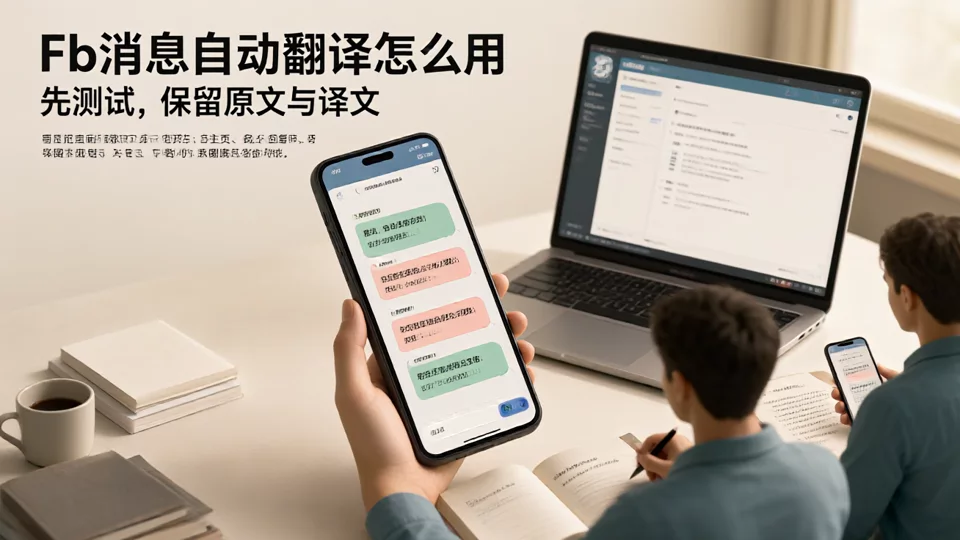
To use fb auto-translation, first confirm the entry point: Facebook client native translation, browser translation, or an aggregated translation tool; then check the settings by message entry, interface language, target language, and test account, and finally verify with a round of real conversation. The problem is usually not whether translation happens, but treating fb auto-translation as a single switch; the buttons and available languages of native platform translation also change with client, region, and version, so old tutorials should not be copied directly.
First distinguish: which type of fb auto-translation are you talking about
The same phrase may refer to three entry points; each solves part of the problem and cannot replace one another.
| Entry point | What it is suitable for | Boundary |
|---|---|---|
| Platform native translation | Temporarily understand a single message within the Facebook client | Entry points, available languages, and presentation vary by client, region, and version, so old tutorials should not be copied directly |
| Browser translation | Converts visible text on a webpage into the target language; suitable for temporarily viewing posts and web-based messages | When content loads dynamically and multiple accounts are open at the same time, translations are not necessarily tied to the conversation |
| Aggregated translation tool | Connects to multiple platform accounts for centralized viewing, translation, and replies; suitable for multiple Pages and team handoffs | Need to verify the account connection scope, source text retention, and customer management capabilities, subject to the tool's current documentation |
According to SKY SCRM's official website positioning, it provides aggregated translation and customer management, and supports multi-account management and multilingual communication; if it is used to handle Facebook messages from multiple Pages, the specific compatibility, translation presentation, and account connection scope are subject to the client and the current official website instructions
Before setting up automatic translation for Facebook messages, check these four items first
- Confirm the message entry point.Are customers coming from post comments, direct messages, or multiple Pages? Different entry points mean different translation locations and reply paths.
- Confirm the interface language.Whether the customer service interface is displayed in Chinese, English, or another language affects translation direction and button meanings, so first align on the team's working language.
- Define the target language.Is the customer's foreign language being translated into Chinese, or is the Chinese reply being translated into the customer's language? Verify each direction of bidirectional translation separately.
- Prepare test accounts.Use an account whose language you can control to send real questions, record the original text, translation, timestamp, and source Page, and then decide whether to expand usage.
Settings entry points vary across client versions, and fixed button paths may no longer work; rely on what the current Facebook client actually displays. If you cannot find it, first check the app version, interface language, and translation options available to the account.

Before replying across multiple Pages and accounts, don't let translations lose account attribution
A common automated translation failure is not an inability to translate, but a translation that is disconnected from the source Page, the customer's language, and the follow-up action. Before replying, verify at least four items:
- Source account:Which Page and platform account the message belongs to, and in whose name the reply is sent.
- Customer language:What the customer’s customary language is, and whether the translation misidentifies dialects, abbreviations, or mixed-language content.
- Source text and translation:Whether the source text is still visible, and whether model numbers, quantities, negations, and units are preserved.
- Next action:Whether you continue the follow-up, transfer it to a colleague, create a ticket, or wait for confirmation, the original message should travel with the handover.
When multiple people share one page, claiming customers based only on 'who replied last' is error-prone. If you already use a customer service system to assign conversations, you can refer toHow to judge a Facebook customer service system from ticket flow to reply efficiency, focusing on whether account ownership and language preference are retained with the ticket during handover.
How to verify Facebook two-way translation: use a real conversation as a live test
Do not just check whether a single translated sentence reads smoothly. Choose a real product, have the test account ask a question in the target foreign language, have customer service reply according to the actual process, then have the customer follow up once more, and check whether the whole conversation still lines up with the right person.
- Customer-side question:Include color, quantity, model, and one qualifier, e.g., "black, two, can they be shipped next week?"
- Customer service-side reply:Write the answer clearly in Chinese and translate it into the customer's language, keep the original text, and do not delete the customer message.
- Customer follow-up question:Change one of the conditions and observe whether the translation direction, references, and timestamps become confused.
- Repeat with another Page:Confirm the reply does not land on another account, and after handover, colleagues can see the same set of original text and translation.
When recording failure samples, specify whether it is a direction error, proper noun error, tone overdone, or account error; this is more useful than vaguely writing "translation inaccurate." When comparing tools, you can refer toMulti-account management checklist for Facebook translation softwareInclude original text retention, two-way replies, and handover fields in trial verification.

Frequently Asked Questions
Facebook's built-in translation vs. third-party aggregation translation: which should you use first?
For a quick, temporary understanding of a single message, you can start with the platform's native translation or browser translation; once multiple pages, handoffs among multiple people, and customer follow-up are involved, consider aggregation translation and customer management tools. The two do not conflict; the key is not to let the translation replace the original text.
When a customer sends a voice message or image, can you get a usable translation directly?
It depends. Whether voice messages and text in images can be translated depends on the current capabilities of the platform client and the tool being used. For important inquiries or specification confirmations, first ask the customer to provide text, or have a person verify the key information.
When multiple people share one page, how can you prevent translations and replies from being attributed to the wrong person?
In the conversation, pin the source page, customer name or ID, language preference, and current owner. Check these four items before replying, and when handing off, pass along the original text as well—do not forward only a translated segment.
The translation reads smoothly but the customer understands it as the opposite—what should you check first?
First check the translation direction, then check negation words, quantities, colors and model numbers, currencies, and units, and finally confirm whether the previous round's translation was mistaken for the original text. Keep the problematic sentence together with the original text so the same mistake is not repeated next time.